

Big Walk Multiplayer Guide: Join Friends & Host Saves
Learn how Big Walk multiplayer works: start a host world, join friends or enter mid-game, use Join Codes, keep saves, crossplay, and matchmaking.
- Published
- 2026-08-07
- Updated
- 2026-08-21
- Verified
- 2026-08-21
 Multiplayer
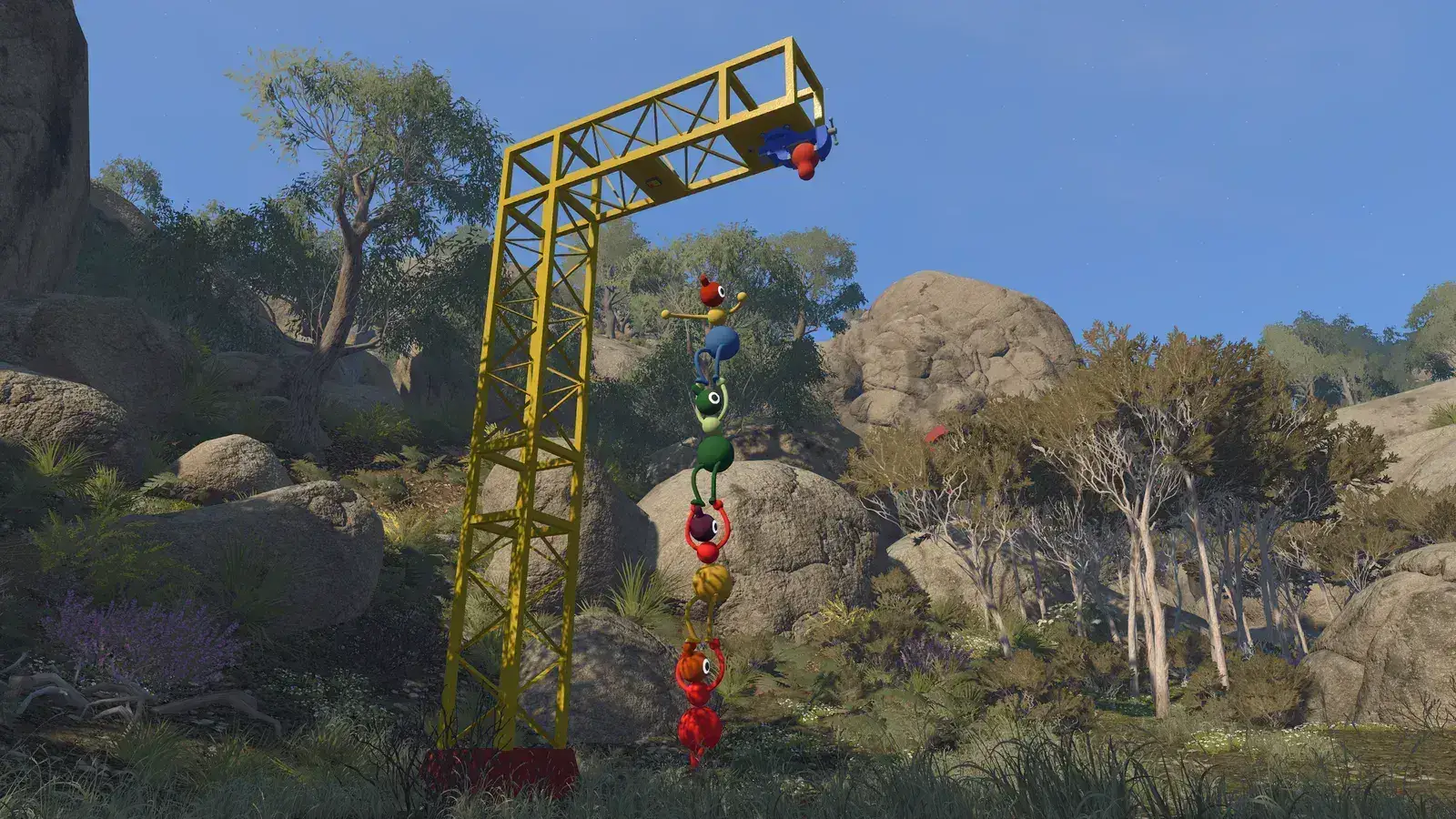
Big Walk multiplayer uses a host-owned world for 2–12 players. Starting with version 1.4.9, the host sets a required session password when starting the game. Friends then join through a platform friend list or with the current Join Code and password. The same host must return when the group wants to continue that saved progress.
Big Walk supports crossplay, but it has no random matchmaking and no normal single-player campaign. The rules below follow the official Big Walk FAQ and the official Steam page. Last checked: August 11, 2026.
How many people can play Big Walk?
A Big Walk session supports 2–12 players. When creating a world, the host selects a setup intended for 2 players, 3 players, or 4+ players. The official FAQ says to treat that choice as the minimum expected attendance, not the maximum session size.
For the full minimum, maximum, and world-option breakdown, see How many people can play Big Walk?. This guide focuses on starting, joining, and continuing a multiplayer world.
Can you play Big Walk solo?
Big Walk has no single-player mode and is designed for groups. The official FAQ says one person can start a game and walk around a little, but will not get very far. Hosting alone therefore gives limited exploration, not an officially supported solo campaign.
The smallest supported setup for progression is two players. If a page or video claims a complete solo route, treat it as an unofficial experiment unless the developer changes the documented rule. Do not buy the game expecting a normal single-player campaign based on the short solo opening.
Players looking for a group need to arrange friends outside the game because there is no random matchmaking. Use trusted friends or established communities, and avoid sharing account credentials or personal information. The subreddit is an unofficial community rather than a developer-operated support channel.
Does Big Walk have matchmaking?
Big Walk does not have online random matchmaking. The official FAQ says players join people they know through platform friend lists or with a Join Code. In version 1.4.9 and later, the host’s session password is also required when starting a game. There is no confirmed in-game queue that automatically fills empty group slots with strangers.
This distinction matters because a Join Code is not matchmaking. A code points invited players to a specific host session; somebody still has to organize the group and share the code. Community posts asking for players show demand for group finding, but they do not change the official feature set.
No official Big Walk Discord was confirmed on the official website, FAQ, Steam page, or SteamDB on August 7, 2026. Do not treat a server as official unless House House or Panic links it from an official property. Community group-finding can still be useful, but it is not a developer-run matchmaking feature.
How Big Walk crossplay works
Big Walk supports cross-platform play on Windows, macOS, PlayStation 5, and Nintendo Switch 2. The official FAQ and Steam page both confirm crossplay. Friends on supported platforms can therefore share a session instead of needing identical hardware.
Crossplay does not remove the normal joining requirements. The host must be loaded into the world, and the first two version numbers at the bottom of each main menu must match. If a platform update is delayed, compatible crossplay may need to wait even though the feature itself is supported.
Use the platform friend list when it shows the intended friend, or use the host’s current Join Code and session password. The Mac App Store build does not provide a Game Center friend list, according to the FAQ, so the code-and-password route is important there. Follow the labels in the current in-game menu if an older screenshot looks different.
How hosting and saved progress work
The host owns the saved world progress. That player starts the world first, and friends join after it has loaded. When the group wants to continue the same progress later, the same host needs to open that save.
Another player can create and host a separate world, but it is not a transfer of the first host’s progress. This makes it important to choose a reliable host before a long group session. There are no official instructions for transferring host ownership through cloud saves or manual files, so do not depend on either method.
Host conditions can affect the group. The official troubleshooting page notes that host performance and network quality may influence other players’ experience. If everyone sees the same lag, testing a different host can identify the pattern, although the original progress stays with its owner.
How friends join a session
The host should open the intended world and wait until fully loaded. Friends can then join through their platform friend list or enter the current Join Code and session password. If the host restarts, use the active session details rather than an earlier invitation.
If a friend does not appear in the list, confirm that both accounts are friends on the relevant platform. The official alternative is the current Join Code and the host’s session password. For a failed connection, compare the first two game-version numbers, fully restart the guest, and then restart the host if necessary.
Use the Join Code guide for the exact code route. If the session still will not open, follow the ordered checks in Big Walk can't join a friend's game.
Big Walk has no public server browser described in the official FAQ. A successful join depends on the host session being available. Avoid treating a friend invitation like a permanent link that remains valid after the host closes the game.
Can friends join Big Walk mid-game?
Yes. The official FAQ says the host starts the session first and other players can then connect to it. Use the active friend-list entry or the current Join Code and session password after the host is fully loaded into the world.
The 2-player, 3-player, or 4+ world choice is the minimum attendance the group expects, not a lock that prevents another friend from connecting later. The official FAQ recommends choosing a lower option when some people will only play for part of the session.
If a mid-session join fails, first make sure the host is still active, use the current code, match the first two version numbers, and restart the guest. The official instructions do not promise that every puzzle state can be changed safely, so avoid deleting saves or treating a failed attempt as proof that late joining is disabled.
Voice and text communication
Big Walk includes both voice and text chat. Voice is proximity-based: it fades with distance and can be affected by the environment. The Steam description also highlights communication tools such as walkie-talkies, binoculars, megaphones, flares, whiteboards, and cowbells.
Text chat is not documented as a completely unrestricted global channel. The official FAQ says it mirrors aspects of the game’s distance and communication design. Players who cannot hear one another should first move close together before deciding that voice chat has failed.
An unusually quiet proximity-voice issue was acknowledged around launch. Use the Voice Chat Not Working guide for current microphone, PS5 mute, and volume checks. Because that issue is patch-sensitive, always read the page’s last-checked date.
Choosing a good host
Choose a player with a stable connection and a device that meets the official requirements. This matters because the host stores progress and host performance may affect guests. A wired connection is preferable when the group already experiences network jitter, according to the official troubleshooting guidance.
The host should be someone likely to return for later sessions. If that person is unavailable, the group cannot open the same host-owned progress through another account based on the current documentation. Agreeing on the host early avoids confusion about missing progress.
Do not share account logins to work around host ownership. A Join Code and the host’s session password let friends enter the active session; neither is a platform login. Official support should not need private recovery codes or payment information.
Big Walk multiplayer FAQ
Can friends join after a Big Walk session starts?
Yes. The host starts and loads the world first, then friends connect through the active friend list or the current Join Code and session password. Use the current session details if the host has restarted.
Can PC, PS5, and Switch 2 players play together?
Yes, Big Walk supports crossplay across its supported Windows, macOS, PS5, and Nintendo Switch 2 versions. The first two in-game version numbers still need to match. Use the current Join Code and session password when the platform friend list is not suitable.
Is there public matchmaking?
No. The official FAQ says there is no random online matchmaking. Friends organize the group and join a host through their platform list or with the host’s current Join Code and session password.
Who keeps the save?
The host keeps the saved world progress. The same host must start that world before friends reconnect. A Join Code does not transfer ownership.
Sources
- Official Big Walk FAQ
- Official Big Walk website
- Official Big Walk Steam page
- Big Walk community subreddit
Big Walk Help is an unofficial fan help site and is not affiliated with House House or Panic.
Still having trouble?
Bring the details. Get a better answer.
Include your platform, game version, exact error text, and what you already tried.