

Big Walk Switch 2 Performance: FPS, Pop-In & Crossplay
See the current Big Walk Switch 2 performance reports, including a 30 FPS target, frame drops, visual pop-in, and the correct crossplay checks.
- Published
- 2026-08-09
- Updated
- 2026-08-21
- Verified
- 2026-08-21
 Performance
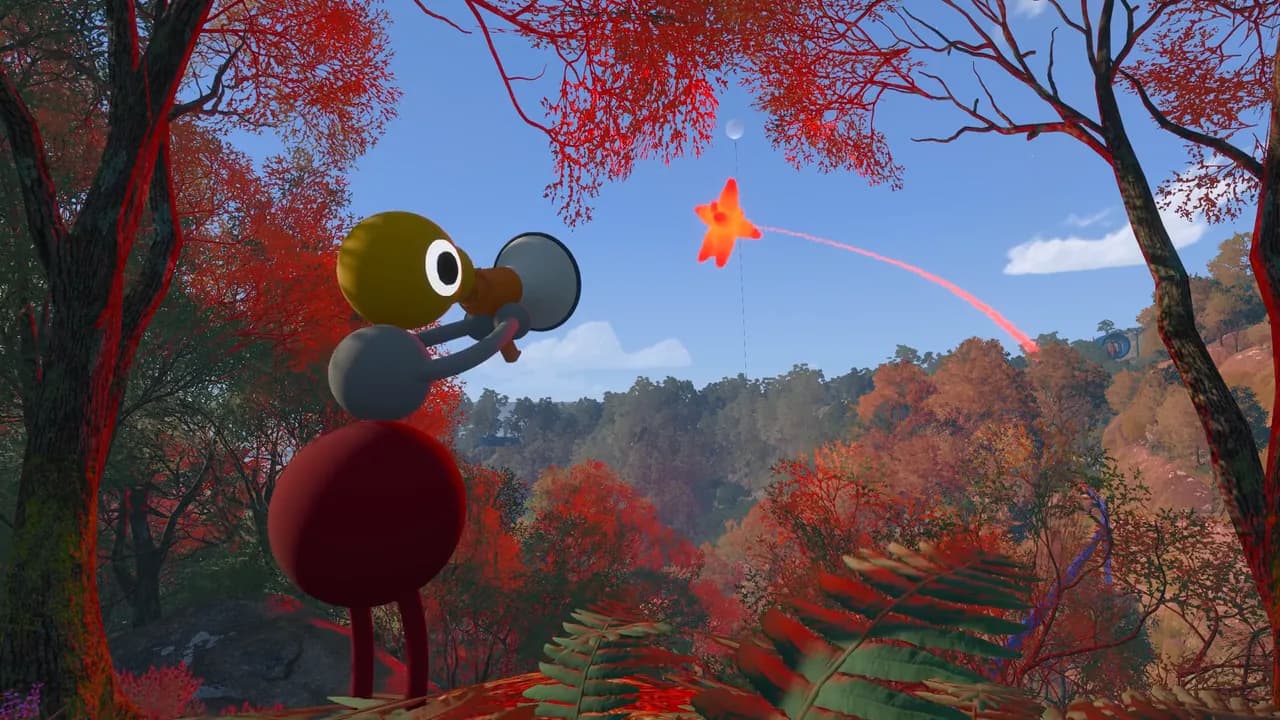
Big Walk targets 30 FPS on Nintendo Switch 2, but independent review testing found that it does not always maintain that target. Visible compromises include frame drops, object and texture pop-in, low-resolution shadows, and reduced visual detail. Player experiences vary: some report a smooth, enjoyable session, while others see frequent dips or rough image quality.
There is no confirmed Switch 2 setting that unlocks 60 FPS or removes every visual compromise. Keep the game and console updated, fully restart after an update, and treat claims of a guaranteed performance fix cautiously. Last checked: August 9, 2026.
What performance to expect on Switch 2
Nintendo Life reviewed the full game on Switch 2 in both handheld and docked play. Its reviewer observed a 30 FPS target, frame drops below that target around demanding views such as towers, widespread pop-in, low-resolution shadows, and weaker lighting than other versions. An update during the review period improved the presentation to some degree, but did not remove the main limitations.
These observations are independent review results, not an official frame-rate promise from House House or Panic. They describe one reviewed build and can change after later patches. Big Walk Help has not performed its own frame-count analysis.
Community reports are mixed. Some Switch 2 players describe dips below 30 FPS and prefer the Steam Deck or another platform, while others report stable-enough performance and successful crossplay. That variation means a single Reddit comment cannot establish the exact frame rate every player will see.
Frame drops versus online lag
Frame-rate drops make the local camera and the whole picture feel uneven. Visual pop-in makes distant objects, textures, or shadows appear late as the player moves. These are rendering symptoms on the Switch 2 itself.
Online lag looks different. Other players may skip, freeze, or move erratically while the local camera still feels smooth. Voices may also cut out. The official FAQ links those symptoms to network conditions, host performance, or bandwidth.
If both happen together, diagnose them separately. Restarting the router will not increase the console's rendering frame rate, and a performance patch will not correct an inaccurate system clock or weak wireless connection.
Safe steps to try on Switch 2
Check for a Big Walk update and a Nintendo Switch 2 system update, then fully close and reopen the game. A normal console restart is also a safe way to clear the current game session before comparing the same area again.
Test both handheld and docked play only if that matches how you normally use the console. Keep the same save, location, group size, and camera view when comparing. A busy multiplayer area and a quiet starting area do not create a fair performance comparison.
The official Big Walk FAQ does not currently document a Switch 2 Render Scale, graphics-quality preset, or performance mode. Do not promise a hidden 60 FPS switch or copy PC-only graphics steps into a console guide. If new options arrive in a patch, this page will need to be rechecked.
Switch 2 crossplay connection checks
Big Walk officially supports crossplay between Nintendo Switch 2, Windows, macOS, and PlayStation 5. If a Switch 2 player cannot connect, make sure the host has loaded into the world and compare the version number at the bottom of every player's main menu. The first two version numbers must match.
This matters after patches because one platform can temporarily be on a different build. A correct Join Code and session password cannot make incompatible versions connect. Update every available platform build and wait for the remaining platform update if the first two numbers still differ.
Fully restart the guest, then restart the host session and use the new Join Code and session password. If the Switch 2 cannot host or join any session, synchronize the console's date and time through its internet or automatic setting. Use the can't host or join guide for that specific failure pattern.
What player reports can and cannot prove
Players have reported Switch 2 connection timeouts, inability to host, and failed crossplay attempts. Other players in the same discussions report successful PC, PS5, and Switch 2 groups. These reports prove that the problems occur for some setups, but they do not prove that Switch 2 crossplay is globally unavailable.
Record the Switch 2 system version, Big Walk version, host platform, group size, and exact error before reporting the issue. Note whether the same console can join a different host. This distinguishes a platform-wide suspicion from one host, version, account, or network combination.
Do not publish or share a live Join Code or session password publicly while diagnosing a private session. Version 1.4.9 requires the password when starting a game, but both details should stay with the intended group.
Should you choose another platform?
If stable frame rate and sharper distant detail matter most, the independent Switch 2 review recommends considering another supported platform when one is available. Crossplay means friends do not all need to buy the same platform version.
If portability matters more, the Switch 2 version remains playable according to both the reviewer and many community replies. The honest choice is therefore a tradeoff rather than a universal verdict: Switch 2 offers portable play, while PC, Mac, or PS5 may provide stronger presentation depending on the hardware.
Check the current patch status before buying solely because of a launch-week report. Performance is patch-sensitive, and neither an old review nor an old comment should be treated as permanent.
Big Walk Switch 2 FAQ
Is Big Walk 60 FPS on Switch 2?
The reviewed Switch 2 build targeted 30 FPS and sometimes dropped below it. No official 60 FPS or performance mode is currently documented.
Why do distant objects suddenly appear?
The Switch 2 review observed substantial visual pop-in and reduced shadow and lighting quality. This is a presentation limitation in the reviewed build, not the same as network lag.
Does Big Walk crossplay work on Switch 2?
Yes, crossplay is officially supported. The host must be inside the world, and the first two game-version numbers must match. Player reports show both successful sessions and individual connection failures.
Can I lower graphics settings on Switch 2?
The official FAQ currently documents Render Scale and Quality steps for computers, not Switch 2. No verified console graphics preset or 60 FPS toggle is listed.
Is handheld mode better than docked mode?
Reports differ, and there is no official universal answer. The Nintendo Life review found the main visual and frame-rate limitations in both modes, while some community players preferred the handheld presentation.
Sources
- Official Big Walk FAQ
- Nintendo Life review: Big Walk on Switch 2
- Reddit discussion: Switch 2 performance
- Reddit discussion: Switch 2 connection reports
Big Walk Help is an unofficial fan help site and is not affiliated with House House or Panic.
Still having trouble?
Bring the details. Get a better answer.
Include your platform, game version, exact error text, and what you already tried.